
Personal Website Builder: How to Create a Personal Website for Work
Key Takeaways
- A personal website builder helps you control your online identity instead of relying only on LinkedIn or social platforms
- The best personal website is clear, credible, and easy to update as your work evolves
- A strong site for work should include a focused homepage, an about section, proof of expertise, and a clear contact path
- An online personal website builder is most useful when it reduces setup friction and makes publishing simple
- Your personal website should support your career goals: interviews, clients, speaking, consulting, or reputation building
If your online presence is scattered across social profiles, resume PDFs, and old portfolio links, a personal website is the cleanest way to bring everything together.
A good personal website builder gives you one place to explain who you are, what you do, and why someone should work with you. It is not just a digital business card. It is the home base of your professional identity.
If your focus is more project-heavy, also see our guides to portfolio websites for professionals and resume websites.
Why Create a Personal Website for Work?
Your personal website gives context that a resume or profile page cannot.
It lets you:
- Present your expertise in your own words
- Show projects, writing, or case studies in a cleaner format
- Control the first impression people get when they search your name
- Make it easier for recruiters, clients, collaborators, or event organizers to contact you
For many professionals, the personal website becomes a bridge between a resume and a full portfolio. It can be simple, but it should still feel intentional.
What Should a Work-Focused Personal Website Include?
A Clear Homepage
Your homepage should answer three questions immediately:
- Who are you?
- What do you do?
- What kind of work or opportunities are you open to?
That does not mean writing a long mission statement. A strong headline, short subhead, and one clear call to action is usually enough.
An About Page or Section
This is where your personality and professional background should show up. Keep it specific. Mention your role, strengths, years of experience, and areas of focus.
Proof of Work
Even if you are not building a full portfolio, your site still needs proof. That can be:
- Selected projects
- Case studies
- Articles or talks
- Client results
- Testimonials
Contact Information
Make it easy for people to reach you. Email, LinkedIn, and a contact form are usually enough.
How to Choose the Right Personal Website Builder
The best personal website builder depends on the role your site will play.
Choose an AI-Assisted Builder if You Want Speed
If you already have a resume, LinkedIn profile, or project notes, AI-assisted tools can help turn that material into a polished site quickly. This is often the fastest route for busy professionals who do not want to start from a blank page.
Choose a No-Code Builder if You Want Drag-and-Drop Control
No-code platforms are a better fit if you care about layout control and want to adjust sections manually without writing code.
Choose a CMS if You Plan to Publish Frequently
If your site will include regular articles, newsletters, or resource pages, you need a stronger publishing workflow, not just a homepage builder.
Step-by-Step: How to Create a Personal Website for Work
1. Define the Goal
Decide what the website is for:
- Getting interviews
- Winning clients
- Building authority
- Supporting speaking, consulting, or community work
The goal determines what pages matter most.
2. Gather Your Source Material
Collect:
- Your current resume
- Short professional bio
- Project examples
- Testimonials or results
- Links to LinkedIn, GitHub, articles, or talks
This makes it much easier for a personal website maker or AI builder to generate a useful first draft.
3. Choose a Simple Site Structure
For most people, this is enough:
- Home
- About
- Work or Projects
- Contact
If you publish often, add Blog or Writing.
4. Write Clear Positioning
Avoid vague copy. “Creative professional” and “passionate problem-solver” say very little. Be concrete about your role and value.
5. Add Proof
Without proof, a personal website feels generic. Add examples, screenshots, metrics, or short case studies that show what you have actually done.
6. Publish and Keep Improving
Your first version does not need to be perfect. A simple, credible site beats an overdesigned draft that never launches.
Personal Website Builder vs Portfolio Website Builder
A personal website builder is broader. It may include a portfolio, but it can also emphasize bio, writing, speaking, services, or thought leadership.
A portfolio website builder is more project-centered. It focuses on case studies, visuals, outcomes, and proof of execution.
If you need both, choose a tool that lets your site act as a personal brand site and portfolio together. Our guide to AI personal website builders explores that hybrid model.
SEO Tips for a Personal Website
If you want your site to help your career, people need to be able to find it.
Focus on:
- Using your name and role clearly in page titles
- Writing a short meta description for your homepage
- Keeping URLs clean and readable
- Adding internal links between your homepage, work, and about pages
- Making sure the site works well on mobile
For broader portfolio SEO guidance, read portfolio website tips and best practices.
Common Mistakes to Avoid
Making It Too Generic
If your site could belong to anyone in your industry, it is too vague.
Hiding the Best Work
People should not have to hunt for proof. Put your strongest examples near the top.
Forgetting the Contact Path
Do not assume people will search for your email elsewhere. Put it on the page.
Treating the Site Like a One-Time Project
Your personal website should evolve with your work. Review it every few months.
Frequently Asked Questions
What is the best personal website builder for professionals?
The best option is the one that matches your workflow. If speed matters most, choose an AI-assisted builder. If layout control matters more, choose a no-code builder.
What is the difference between a personal website and a portfolio?
A personal website is broader and can include bio, writing, speaking, services, and professional positioning. A portfolio is more focused on project proof and case studies.
Do I need a personal website if I already have LinkedIn?
Yes. LinkedIn is useful, but it is still someone else’s platform. A personal website gives you control over design, messaging, structure, and discoverability.
A personal website builder should make it easier to present your work, clarify your positioning, and grow your reputation. If the platform helps you get from scattered information to a clear professional site quickly, it is doing its job.
Ready to build your portfolio?
Create a professional portfolio website in minutes with AI. No coding required.
Try Portfolio Studio FreeRelated Articles
AI Personal Website Builder: Create a Personal Brand Site From Your Resume
Use an AI personal website builder to create a personal brand site from your resume, experience, projects, and professional goals.
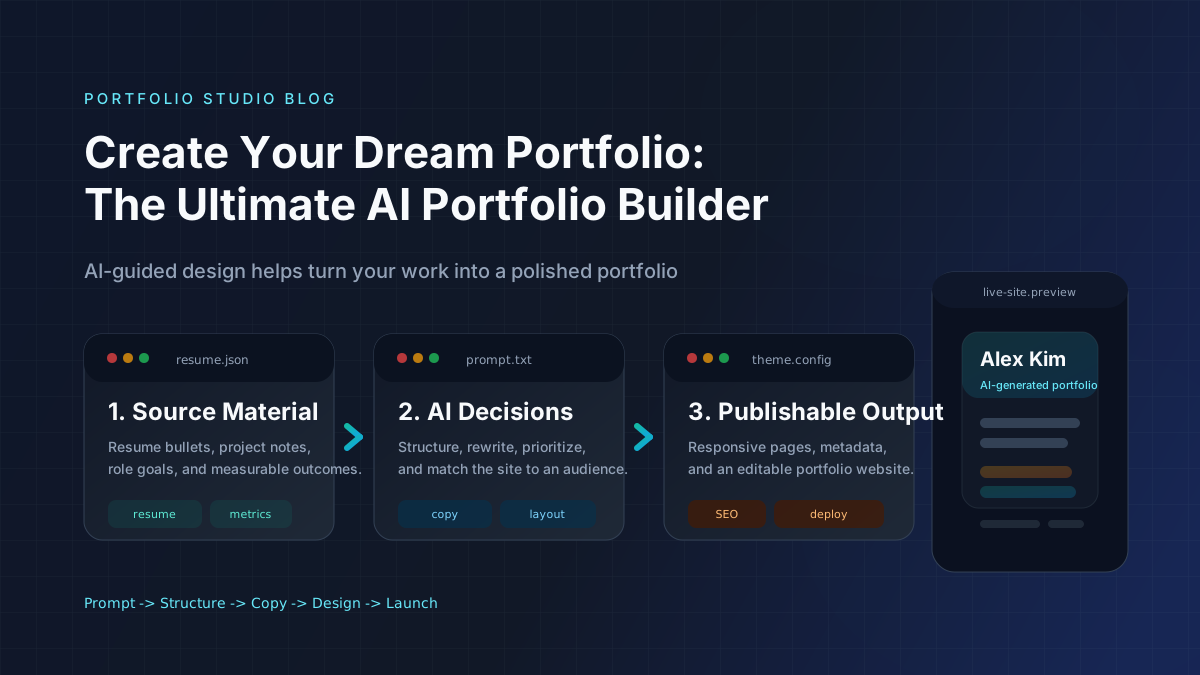
Create Your Dream Portfolio: The Ultimate AI Portfolio Builder
Build a portfolio website, resume website, or personal website with an AI portfolio builder. Learn features, steps, mistakes, and tools.
Portfolio Website for Professionals: Build Authority With Your Personal Brand
Learn how to build a portfolio website for professionals that strengthens your personal brand, credibility, authority, and discoverability.