
How to Make a Portfolio Website: The Complete 2026 Guide
Key Takeaways
- A strong portfolio website starts with a clear goal — interviews, clients, or authority — not with picking a template
- The fastest path is to start from what you already have: your resume, projects, and a short description of your work
- Every project needs context: the problem, your role, and the outcome — not just images
- Good SEO basics (clean titles, descriptions, fast pages, and a custom domain) help the right people find you
- You can go from nothing to a published portfolio in an afternoon with the right approach
Learning how to make a portfolio website is less about web design and more about presenting your work clearly. The people who land interviews and clients are rarely the ones with the flashiest sites — they are the ones who make it easy to understand what they do and how well they do it.
This guide walks through the entire process, from deciding what your portfolio is for to publishing it and helping people find it. Whether you are a developer, designer, freelancer, or career-changer, the steps are the same.
Step 1: Decide What Your Portfolio Is For
Before you choose any tool, get clear on the job your portfolio needs to do. The three most common goals are:
- Get interviews. You want recruiters and hiring managers to quickly see your skills and proof of work. See Portfolio Website for Job Seekers.
- Win clients. You need case studies, testimonials, and clear calls to action. See portfolio websites for professionals.
- Build authority. You want a hub for your work, writing, and personal brand that grows over time.
Your goal shapes every later decision — which projects to feature, how much to write, and what to ask visitors to do.
Step 2: Choose How You’ll Build It
There are three broad paths, and the right one depends on how much control you want versus how fast you want to launch.
AI Portfolio Builders
The fastest option. You provide your resume and project notes, and the tool drafts a complete site you refine. Best when you want a professional result quickly. Read how an AI portfolio builder works and our overview of AI portfolio website builders.
No-Code Builders
Drag-and-drop platforms give you more manual control at the cost of more time. See our guide to no-code portfolio website builders.
Comparing Specific Tools
If you are weighing popular platforms, these comparisons help: the best portfolio website builder roundup, plus alternatives to Wix, Squarespace, Framer, and Carrd.
For most people who want a polished site without a weekend of setup, an AI portfolio builder is the simplest starting point.
Step 3: Gather Your Content First
The biggest reason portfolios stall is a blank page. Avoid it by collecting your raw material before you build:
- Your resume — the backbone of your experience. If you do not have one ready, the free resume builder can help, and Resume Website Guide explains how a resume and a website work together.
- 3–6 projects — your strongest, most relevant work.
- For each project: the problem, your role, what you did, and the result.
- A short bio — who you are and what you do, in two or three sentences.
- Contact details — email, and links to relevant profiles.
Starting from this material means you are editing a draft instead of inventing a site from scratch.
Step 4: Structure the Site
A portfolio does not need many pages. A clean structure is usually:
- Home / Hero — who you are and what you do, immediately clear
- Projects — your featured work, each with context
- About — a short, human introduction
- Contact — an easy way to reach you
Keep navigation simple. The faster a visitor can find your best work, the better. Our portfolio website tips and best practices guide covers structure in more depth.
Step 5: Write Strong Project Descriptions
This is where most portfolios win or lose. Images show what something looks like; words explain why it matters. For each project, answer:
- What was the problem or goal?
- What was your specific role?
- What did you do, and what choices did you make?
- What was the outcome? Use numbers where you can.
A short, clear paragraph beats a long, vague one. Reviewers skim — make your contribution obvious.
Step 6: Make It Look Professional
You do not need to be a designer, but presentation matters. Focus on the basics that signal quality:
- Consistent typography and spacing — restraint reads as polish
- Mobile-first layout — most visitors arrive on a phone
- Fast load times — slow sites lose people before they see your work
- Real, high-quality visuals — clean screenshots and images, not clutter
For inspiration by field, see best developer portfolio examples, UX design portfolio examples, and our graphic design portfolio guide. You can also browse real sites on our inspiration page.
Step 7: Optimize for SEO and Publish
A portfolio is still a website, so a few SEO basics help the right people find it:
- Editable page titles and meta descriptions that describe each page
- Clean, readable URLs
- Fast, mobile-friendly pages
- A custom domain for credibility — see custom domain portfolio website
Once it is ready, publish. Do not wait for perfect — a live, good portfolio beats an unfinished, perfect one every time. You can keep refining after launch.
Step 8: Avoid Common Mistakes
A few mistakes show up again and again:
- Too many projects. Show your best 3–6, not everything you have ever made.
- No context. A gallery of images without explanation leaves reviewers guessing.
- Hiding contact info. Make it obvious how to reach you.
- Never updating it. A stale portfolio signals stagnation. Refresh it as your work grows.
- Over-designing. The work should be the focus, not the interface.
Examples by Profession
Different fields have different conventions. Portfolio Studio includes tailored starting points for many roles, including developers, designers, freelancers, students, data scientists, product managers, and UX researchers.
Pick the one closest to your work to see a structure and language that fits your field.
Frequently Asked Questions
How long does it take to make a portfolio website?
With an AI-first builder you can have a publishable site in under an hour, because you start from your resume and project notes instead of a blank template. Building manually on a no-code platform usually takes a few hours to a weekend.
Do I need to know how to code to make a portfolio website?
No. Modern portfolio builders, especially AI-first ones, generate the site for you from a description of your work. You can publish a professional portfolio without writing any code.
How many projects should a portfolio website have?
For most people, three to six strong, relevant projects are ideal. Quality and clarity matter far more than quantity — a few well-explained projects beat a large gallery with no context.
What should every portfolio website include?
At minimum: a clear homepage, project pages with context, a short about section, and an easy way to contact you. Editable SEO fields and a mobile-friendly layout round it out.
Making a portfolio website comes down to clarity: a clear goal, clear projects, and a clear way to get in touch. Start from what you already have, keep the structure simple, and publish before it feels perfect. When you are ready, build your portfolio with Portfolio Studio and go live in minutes.
Ready to build your portfolio?
Create a professional portfolio website in minutes with AI. No coding required.
Try Portfolio Studio FreeRelated Articles
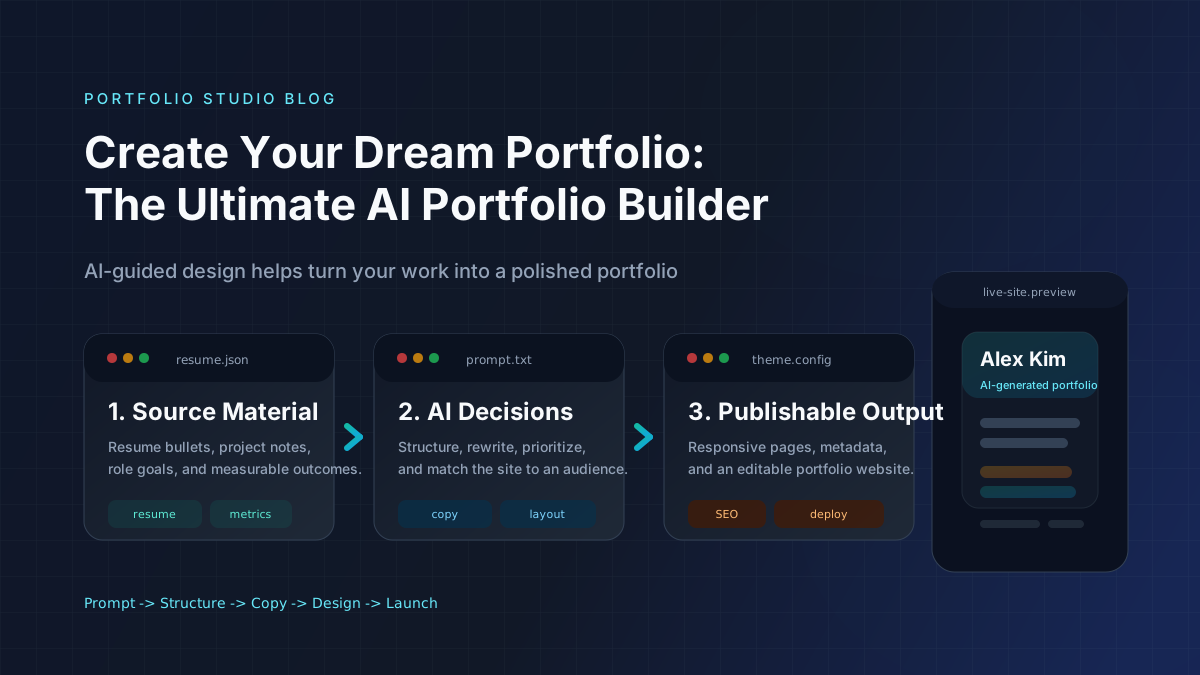
Create Your Dream Portfolio: The Ultimate AI Portfolio Builder
Build a portfolio website, resume website, or personal website with an AI portfolio builder. Learn features, steps, mistakes, and tools.
AI Portfolio Website Builder: Best Tools, Features, and Use Cases
Learn how an AI portfolio website builder works, which features matter most, and when an AI portfolio generator is better than templates or manual setup.
The Best Carrd Alternative for Portfolios in 2026
Outgrowing Carrd? Compare the best Carrd alternatives for a multi-page portfolio website with project pages, SEO, and room to grow — without the complexity.